Marketing & Visibility
Clinic marketing: turn patient questions into AI visibility and bookings
Connect the questions your reception team hears every day with useful treatment pages, AI-search checks and a chatbot handoff. A practical 30-day pilot for measuring enquiries and confirmed bookings, not just clicks.
The missing connection in clinic marketing
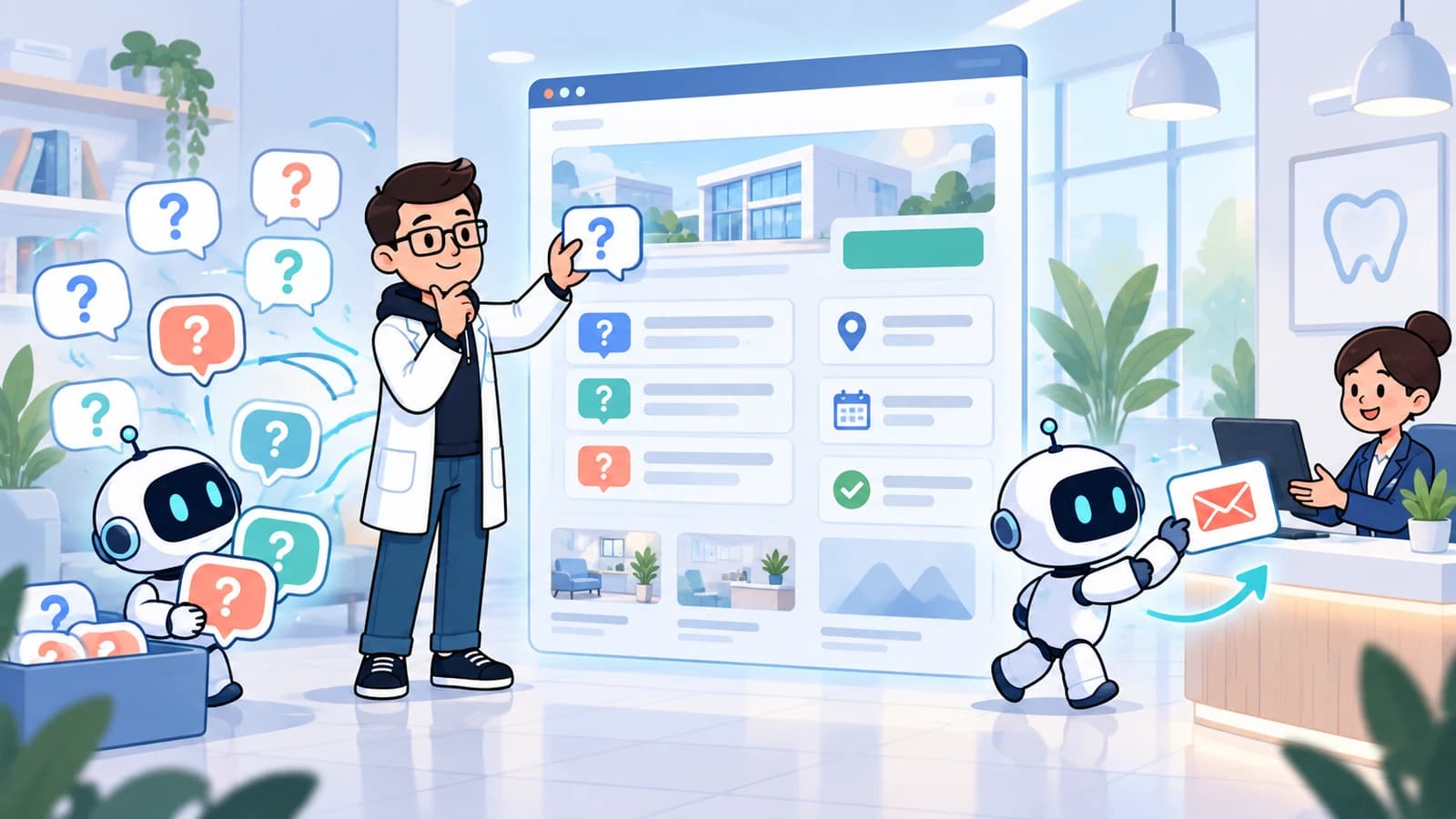
Clinic marketing often separates search, website design and reception into different projects. Someone writes articles, someone else runs adverts, and the receptionist explains the same practical details all week. Meanwhile, a prospective patient asks an AI assistant a detailed question and receives an answer assembled from whatever public information it can find.
A useful starting point is not another channel. It is the unanswered question between discovering your clinic and feeling ready to contact it. Can I book a consultation without committing to treatment? Which branch provides this service? What does the consultation cost? Is the entrance accessible? These are ordinary operational questions with direct consequences for enquiries.
Connect six steps: patient questions, verified public answers, clearer treatment pages, a chatbot handoff, measured bookings and page improvements. This is a proposed working method, not a promise of more appointments. Its value is that your team can test every step against real information and real outcomes.
1. Start with reception, not a keyword generator
Ask reception and practice managers to record recurring enquiry themes for a week. Capture the question, the relevant service or branch, how often it occurs and where the approved answer lives. Use anonymised themes rather than copying messages, names, photographs, symptoms or medical histories into an AI tool. A simple shared sheet is enough.
Separate practical questions from clinical ones. Opening hours, consultation arrangements, directions and payment processes can usually be checked by the operational team. Suitability, diagnosis, risks and individual treatment recommendations need qualified clinical oversight. Do not turn an administrative chatbot into an unreviewed medical adviser.
Choose five questions that recur before a booking. Assign an owner to verify each answer and a review date. Record uncertainty explicitly: if a fee varies or a practitioner does not attend every day, explain that boundary instead of inventing a reassuring fixed answer. The output should be a small, maintained answer register.
- Question theme: what is the person trying to establish?
- Approved answer and source: which page, policy or staff owner confirms it?
- Branch and service: where does this answer actually apply?
- Next step: read more, contact reception or arrange a consultation?
2. Test the questions people might ask AI search
Build a small prompt set around treatment, location, consultation cost and practical access. Use realistic wording rather than repeating your target keyword. For example: "Where can I arrange a dermatology consultation near [London borough]?" and "What should I check before booking a skin consultation at [clinic]?" Test a cost question and an access question separately.
Keep a dated log of the system used, the exact prompt, relevant settings, the answer and any cited URLs. Check whether the answer identifies the right branch, whether its facts match your approved register and whether citations genuinely support the claims. Repeat selected prompts in fresh sessions to see variation; one favourable answer is not a ranking position.
Google says its existing SEO fundamentals apply to AI Overviews and AI Mode. There is no special AI file or schema requirement. Pages need to be eligible for normal indexing and snippets, and important content should be available as text. Neither indexing nor appearance in an AI answer is guaranteed.
Treat these tests as an accuracy and content-gap exercise. A wrong opening time may expose conflicting public information. A missing consultation explanation may reveal a weak page. Do not buy dozens of near-identical location pages or manipulate prompts until they produce a screenshot that looks like success.
3. Use AI to organise evidence, not manufacture answers
Give an AI assistant only approved, non-personal source material. Ask it to organise questions and identify gaps, then have the responsible person check the output. The following prompts are reusable briefs, not instructions to paste patient records into a public service.
Question-clustering prompt: "Group these anonymised enquiry themes by service, branch and intent. Separate booking logistics from questions requiring a clinician. Use only the supplied themes. Do not infer diagnoses or patient characteristics. Return recurring question, frequency when supplied, proposed page section and responsible reviewer. Mark missing information UNKNOWN. Do not invent an answer."
Page-gap prompt: "Compare this treatment-page text with the attached approved answer register. For each question, show the supporting page passage or mark NOT ANSWERED. Identify conflicting branch details, unclear consultation costs and inaccessible next steps. Suggest plain-English edits using only approved facts. Preserve clinical limitations. Flag anything requiring clinician approval and mark unsupported claims UNKNOWN."
Review suggestions one by one. Keep a short change log linking the published answer to its source and owner. If two documents disagree, resolve the operational issue first. Generating a smoother sentence does not make conflicting prices, opening hours or eligibility rules correct.
4. Design the mobile treatment page around the decision
Open a priority treatment page on a phone. The first screen should establish the service, the actual location and the next useful action. Follow with consultation details and evidence that helps a visitor evaluate the clinic. Avoid a large decorative hero that pushes every practical answer below several screens of scrolling.
Use descriptive headings and short, direct answers. Keep essential information in crawlable page text rather than only inside an image, video or chatbot. A visitor should be able to understand the offer without opening chat. Give the same attention to keyboard access, readable contrast, form errors and the space occupied by sticky buttons.
Google recommends useful, reliable content written for people. For a clinic, that means identifying who is responsible for clinical information, using genuine practitioner evidence and distinguishing established service facts from promotional claims. Do not substitute a generic AI-written biography for verifiable credentials.
- Service and branch: a specific heading, location and concise explanation.
- Consultation: what happens, who it is with and whether treatment is a separate decision.
- Practitioner evidence: accurate roles, relevant qualifications and links to appropriate records.
- Price context: verified fees or a clear explanation of what changes the cost.
- Practical answers: travel, access, opening arrangements and the enquiry process.
- One primary action: request a consultation or contact the team, with an accessible alternative.
5. A worked example: from uncertainty to a useful enquiry
Imagine a fictional skin clinic in Richmond. Reception repeatedly hears: "Can I book a consultation first, what does it cost, and can I visit after work?" The manager verifies the consultation fee and appointment policy; the clinical lead approves the description of the consultation. Evening availability is not guaranteed, so the page explains how to ask about it.
The page publishes those answers together, beside a request-consultation action. The chatbot can point to the same information and offer to pass an evening-appointment enquiry to reception. It does not assert that a slot exists. Staff confirm availability through the real booking process. Nothing in this example is a claim about a real clinic or a measured conversion improvement.
| Patient question | Verified page answer | Suggested chatbot step | Outcome to measure |
|---|---|---|---|
| Can I start with a consultation? | Explain the approved consultation process and its limits. | Link to that explanation; offer staff contact. | Relevant consultation enquiries. |
| What will it cost? | Show the verified consultation fee and any conditions. | Repeat approved information, not a personalised quote. | Enquiries meeting the agreed qualification criteria. |
| Can I come after work? | Explain how current availability is confirmed. | Collect a preferred contact route for reception. | Appointments actually confirmed by staff. |
6. Give the chatbot a narrow job and a real handoff
A clinic chatbot should make the next step easier, not conceal missing website information. Start with a narrow administrative brief: identify the relevant service and branch, present approved practical information and offer an enquiry handoff. Ask for only the contact details the team needs. Do not solicit medical histories or photographs in a general marketing conversation.
ConvertAI publicly describes guided conversational interfaces, structured intent capture and handoff capabilities. Its features page describes CRM handoff and conversion webhooks. Those product descriptions are not proof that your particular clinic system is connected: confirm the chosen configuration, plan, data handling and delivery destination before launch.
Our suggested clinic workflow is a design brief, not a claim that every step is a built-in ConvertAI feature. Define the approved answers, escalation rules, staff inbox or integration and response ownership. Test successful delivery, a failed delivery, out-of-hours enquiries and a request outside the bot's scope. Make human contact easy to find.
Show appropriate privacy information where details are collected. Have the clinic approve retention and access arrangements, and assess its own consent and data-protection requirements before enabling analytics or recording. A friendly interface does not remove the need for careful handling of health-related conversations.
7. Run a 30-day pilot with reception involved
Days 1-7: choose one service at one branch. Collect recurring questions, verify answers and record a baseline from comparable recent enquiries. Agree what makes an enquiry qualified before seeing the results. Use criteria such as a relevant service, correct location and reachable contact details, not assumptions about clinical suitability.
Days 8-14: improve the treatment page, test mobile usability and configure the limited chatbot journey. Submit test enquiries and trace them to the person who will respond. Exclude those tests from reporting. Record the date each change goes live so later comparisons have context.
Days 15-21: review delivery and response times daily. Count unanswered practical questions, failed handoffs and contacts that reached the wrong branch. Ask staff whether the new enquiries contain the information they actually need. Fix misunderstandings in the page and approved answers rather than expanding the bot into clinical territory.
Days 22-30: compare qualified enquiries, confirmed bookings and typical response time with the baseline. Report both counts and rates, with the denominator stated. Separate pending enquiries, cancellations and appointments confirmed by staff. Chat completion, button clicks and booking-link visits are not confirmed bookings.
Small samples, seasonality, appointment capacity, advertising changes and delayed decisions can distort a short pilot. Consent choices, cross-device visits and telephone bookings also limit attribution. Google includes AI-feature traffic within Search Console's overall Web reporting; do not label all organic growth as AI-generated bookings. Use the pilot to decide what to test next, not to announce causation you cannot establish.
Keep the public facts consistent
Compare branch names, addresses, website links and contact details across your own pages and public profiles. Correct obsolete information where you control it. A directory listing can help people discover and check a clinic, but it is not a substitute for a complete official treatment page or a guarantee of AI visibility.
Start with one service, five verified questions and one accountable handoff. If the team learns which answers reduce confusion and which enquiries become bookings, clinic marketing becomes a repeatable improvement process rather than a growing collection of disconnected tools.
FAQ: Can clinic marketing guarantee an AI-search recommendation?
No. Accurate, accessible pages can support discovery, but AI answers vary and search inclusion is not guaranteed. Test factual accuracy and useful citations without treating a mention as a stable ranking or a booked appointment.
FAQ: Should the chatbot recommend a treatment?
Keep a marketing chatbot focused on approved practical information and staff handoff. Individual suitability, diagnosis and treatment advice belong with appropriately qualified professionals. Make the boundary clear and provide an easy route to human help.
FAQ: What should we measure first?
Start with qualified enquiries, staff-confirmed bookings, response times and repeated unanswered questions for one service and branch. Record delivery failures too. Chat completions and booking-button clicks are useful diagnostic events, but they are not bookings.
Want this checked on your own website?
Our free scan reviews the fundamentals covered here — and a specialist reviews the findings before anything is sent to you.